
Tech
Adobe Unveils Redesigned Firefly AI Studio Features


Adobe Introduces Redesigned Firefly AI Studio with New Features
Estimated Reading Time: 4 minutes
Key Takeaways
- Adobe Firefly AI Studio has been redesigned with features that promote user efficiency.
- Elements allows for the storage and reuse of AI-generated assets, maintaining visual consistency in projects.
- Projects serves as a centralized hub to manage related materials for collaborative creative efforts.
- The upgraded Firefly assistant now includes capabilities for logo creation and video editing.
- The private beta phase is ongoing, with a public rollout still to be disclosed.
Main Content
Context / Background
Since its initial launch in September 2023, Adobe’s Firefly has continually evolved to integrate more seamlessly into professional creative workflows. The current redesign features two major components: Elements and Projects. These features are designed to provide users with a more organized, intuitive interface for managing their AI-generated assets.
Key Details
1. Persistent Assets – Elements
The most significant addition to the Firefly AI studio is Elements, which allows users to save and reuse AI-ready building blocks such as named characters, objects, and environments. These Elements can include both AI-generated and uploaded reference images, offering flexibility for creators. Each saved Element becomes a persistent, addressable asset within Firefly, allowing for easy recall across the platform.
This feature helps maintain visual consistency across multiple images, scenes, or campaigns. By anchoring generations to named assets, designers can reduce the need to recreate or re-prompt characters or styles, which can save time and enhance efficiency in the creative process.
2. Organizational Feature – Projects
Alongside Elements, Adobe has introduced Projects, a higher-level organizational feature that serves as a hub for managing source assets, AI generations, and contextual data related to creative tasks. This feature allows users to group all materials related to a specific campaign or project in one centralized location, reducing fragmentation across separate files and prompts.
The Projects feature also supports persistent context, allowing Firefly to remember user intentions and previous outputs, making future generations more aligned with prior work. This capability can significantly benefit collaborative teams by acting as a shared container for iterative creative processes.
3. Expanded Firefly Assistant Capabilities
In addition to these main features, the Firefly assistant has been enhanced to include the generation of brand logos and the assembly of video clips into draft cuts. This shift indicates that the assistant is moving beyond static image generation to offer more comprehensive creative support, integrating functions necessary for brand design and video editing.
Impact
The redesigned Firefly AI studio represents a significant advancement in Adobe’s suite of creative tools. Individual designers will likely experience reduced prompt fatigue, as they no longer need to repeatedly describe the same visual components. For creative teams and organizations, shared Elements will help enforce brand consistency, while Projects will streamline collaborative workflows by providing a central repository for project-related materials.
This innovation is expected to be particularly pertinent in markets like India, where the design and multimedia sectors are rapidly growing, necessitating tools that enhance efficiency and consistency in creative outputs.
What’s Next
The redesigned Firefly AI studio and its expanded features are currently available in a private beta format, with Adobe focused on refining these tools through user testing. Details regarding public rollout and broader accessibility are not yet specified, but the enhancements may set a new standard for AI-driven creative applications, reflecting Adobe’s commitment to evolving its products in line with user needs. As these tools develop, they are well-positioned to influence how creators across various industries approach the integration of AI into their workflows.
FAQ Section
What are the new features of Firefly AI studio?
The new features include Elements for saving reusable assets, Projects for organizing creative tasks, and enhanced capabilities in the Firefly assistant for generating logos and video edits.
How does Elements improve creative processes?
Elements allows designers to maintain visual consistency by storing AI-generated assets they frequently use, thereby reducing time spent on recreating visual components.
What is the purpose of Projects?
Projects serve as a centralized hub for managing related materials and data for specific creative efforts, minimizing fragmentation and improving team collaboration.
When will the redesigned Firefly AI studio be publicly available?
The public rollout details have not yet been specified, as the redesigned features are currently in a private beta phase for user testing.


Tech
WhatsApp Updates with Username-Based Privacy Feature
WhatsApp Updates with Username-Based Privacy Feature

WhatsApp Introduces Username-Based Identity System for Enhanced Privacy
Estimated Reading Time: 3 minutes
- WhatsApp introduces a username-based identity system to enhance user privacy.
- Users can now select unique usernames instead of using phone numbers for contact.
- This change aims to mitigate risks related to spam and unwanted communications.
- The feature enhances anonymity in group chats and professional engagements.
- Gradual rollout of the feature will begin in the coming months with user notifications.
What is changing in WhatsApp?
WhatsApp is making a significant shift by allowing users to choose a unique username instead of relying solely on their phone numbers for contact. While the phone number will still be used for account registration and verification, it will no longer serve as the primary public identifier when connecting with new contacts or businesses. This transition is part of WhatsApp’s efforts to close a “privacy blind spot” associated with how it manages identity and contact discovery (source).
In essence, users can now create a public face for their WhatsApp account while keeping their phone numbers private, significantly enhancing security and reducing the risk of unwanted communications (source).
Main privacy and security benefits
The introduction of usernames brings multiple significant benefits, marking one of WhatsApp’s most substantial privacy enhancements since its inception:
- Phone Number Protection: When messaging someone for the first time, they will see the user’s username instead of the phone number, mitigating risks associated with spam and harassment (source).
- Safer Group Interactions: In group chats where users don’t have each other’s numbers saved, usernames will provide anonymity, crucial for interactions in open communities or events (source).
- Professional Engagements: This feature will facilitate safer networking opportunities in professional contexts, allowing users to share their usernames without disclosing their personal phone numbers (source).
- Reduced Business Exposure: Businesses will also benefit by adopting usernames, enabling customers to contact them without revealing their personal phone numbers, thus enhancing security against scams (source).
Overall, the shift to a username system aligns WhatsApp with the privacy strategies already utilized by platforms like Telegram and Signal (source).
How usernames work
WhatsApp has begun accepting reservations for usernames globally, allowing users to set their unique handles via the app’s settings. Users need to navigate to Settings → Account → Username to reserve and confirm their usernames. Length rules dictate that usernames must be between 3 to 30 characters, include at least one letter, and should not start with “www.” or end with common domain extensions (source).
When the feature is enabled, users can chat and be searched using their usernames. Existing contacts will still see the traditional labels associated with those numbers, ensuring ease of use while enhancing privacy for new or unknown contacts (source).
What’s Next
Users can expect the username feature to be rolled out gradually in the coming months, with in-app notifications indicating when the new privacy setting becomes available in their region (source). As Meta positions usernames as a primary discovery mechanism, users who opt to enable this function will likely enjoy enhanced privacy benefits and increased control over their interactions on the platform.
In conclusion, WhatsApp’s shift to a username-based identity system is anticipated to significantly improve user privacy, making it a pivotal enhancement in the way the platform facilitates communication while safeguarding personal information.
FAQ Section
What are the privacy benefits of WhatsApp usernames?
WhatsApp usernames allow users to maintain privacy by not needing to share their phone numbers, thus protecting against spam and unwanted contact.
How do I reserve my WhatsApp username?
Users can reserve their usernames by navigating to Settings → Account → Username in the app.
When will usernames be available on WhatsApp?
The username feature will roll out gradually over the coming months, with in-app notifications for availability based on region.
Tech
Cursor Launches iOS App for Developers in Public Beta
Cursor Launches iOS App for Developers in Public Beta

Cursor Launches Native iOS App for Developers in Public Beta
Estimated Reading Time: 4 minutes
Key Takeaways
- Cursor’s new iOS app is now available in public beta, enhancing developers’ coding workflows on the go.
- Key features include always-on cloud agents, remote control of local agents, and a promotional discount on Composer 2.5 runs.
- The app supports all paid plans and offers unprecedented flexibility for addressing coding tasks remotely.
- This release reflects the trend towards mobile-centric development solutions in the tech industry.
- Cursor plans to improve the app based on user feedback during the beta phase.
Main Content
Context / Background
Cursor, a platform designed to help developers build software with AI-enhanced tools, aims to improve productivity by providing a mobile solution that extends its desktop capabilities. The launch of the iOS app aligns with the growing trend of remote and on-the-go work, catering to developers who need flexibility in their coding routines.
Key Details
The iOS app is accessible across all paid Cursor plans during its public beta phase. Users can leverage its functionality to build software from diverse locations—whether they are commuting, away from their laptops, or responding to urgent tasks while on call. Key features of the app include:
- Always-on Cloud Agents: Developers can start agents from their mobile devices, just as they would on a desktop, using a repository of their choice. The cloud agents can run isolated virtual machines, providing a complete development environment for testing, verifying, and demoing work (source: Cursor Blog).
- Remote Control of Local Agents: The app also facilitates the control of agents running on personal computers. Developers can begin a plan on their laptop and transition the session to a cloud agent when away from their desk. This seamless transfer allows ongoing work without interruption (source: Cursor Changelog).
- Promotion of Composer 2.5 Runs: To incentivize the use of the mobile app, Cursor is offering a temporary discount of 75% on Composer 2.5 runs triggered through the app, valid until July 5, 2026 (source: Cursor Blog).
The public beta release is noted as part of Cursor’s continued evolution, building upon software engineering practices that facilitate increased productivity even outside traditional office environments.
Impact
This new iOS app could significantly affect developers who are frequently away from their workstations, as it offers unprecedented control and flexibility. Immediate benefits include the ability to address coding issues or development needs in real-time, even while commuting or attending meetings. Users can also make use of voice commands to interact with their coding agents, which could streamline workflows for those who prefer hands-free operation (source: Cursor Forum).
With the increasing number of mobile developers in regions such as India, this app also plays a vital role in supporting the local tech ecosystem. The flexibility it introduces could enhance productivity and contribute to a growing demand for developer tools that accommodate varying work environments.
What’s Next
Cursor’s introduction of the iOS app reflects a shift toward more mobile-centric development solutions. As features continue to evolve with user feedback during this public beta phase, the app is poised to further encourage remote workflows. Looking ahead, Cursor aims to expand functionality and enhance integration with existing tools, reinforcing its commitment to providing versatile, AI-driven software development solutions for a global audience.
FAQ Section
What is the purpose of the Cursor iOS app?
The Cursor iOS app allows developers to enhance their coding workflows by providing functionalities such as launching cloud agents, controlling local agents, and managing code remotely from their iPhones.
Which plans are eligible for the public beta?
The iOS app is accessible across all paid Cursor plans during its public beta phase.
Is there a promotion for using the app?
Yes, Cursor is offering a temporary discount of 75% on Composer 2.5 runs triggered through the app, valid until July 5, 2026.
How does the app benefit developers?
The app provides flexibility for developers by allowing them to address coding tasks in real-time from various locations, enhancing productivity and supporting a mobile-centric work environment.
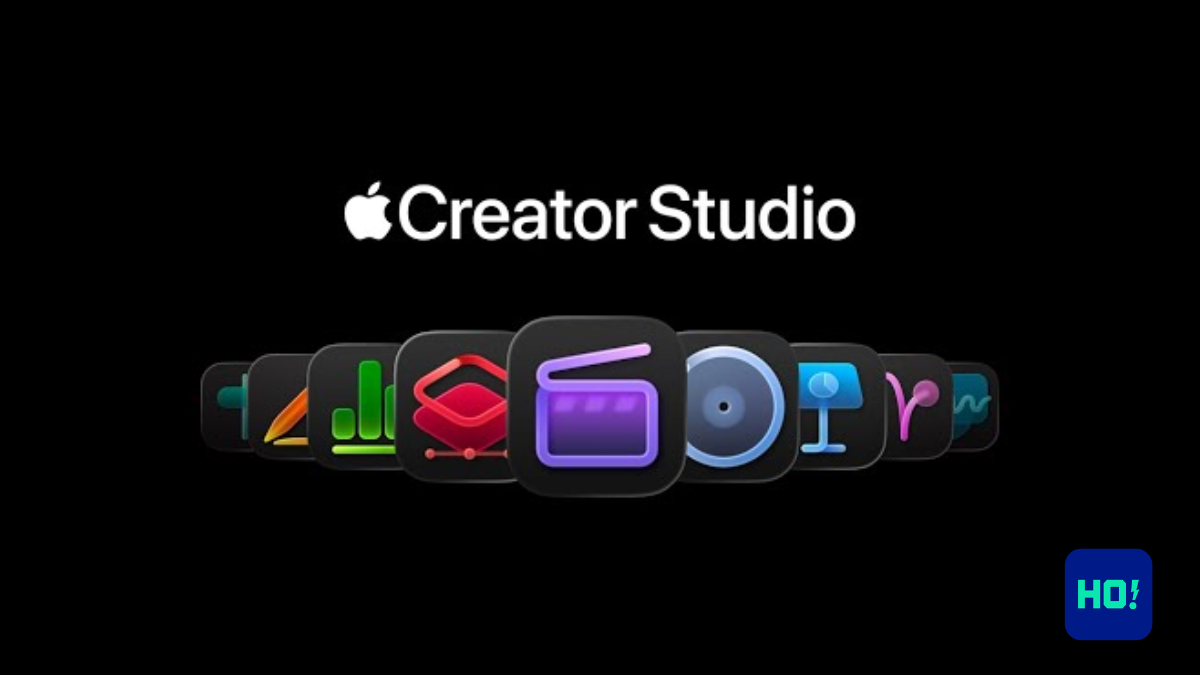
Apple Creator Studio Update Introduces Major AI Enhancements Across Suite
- Apple’s Creator Studio update brings advanced AI features for multimedia applications.
- Features include automated caption generation in Final Cut Pro and AI-powered image generation in Pixelmator Pro.
- Current subscribers receive these updates at no extra cost; new users can subscribe for $12.99/month or $129/year.
- The update reflects trends in creative software toward integrating AI tools.
- Future enhancements are expected as Apple continues to refine its AI capabilities.
Context / Background
Key Details
Scope of the Update
- Final Cut Pro: Receives features like Generate Captions, which automatically transcribes audio into editable subtitles, and Edit Detection, helping editors to isolate cuts more efficiently. Additionally, the new Auto Mask tool streamlines the process of editing specific video elements.
- Logic Pro: Includes improvements in Chord ID, enhancing chord detection for composers, and a new granular sync mode in Alchemy, improving sound design capabilities.
- Pixelmator Pro: Offers AI-powered image generation and shape production, allowing users to create assets using natural language prompts. This app acts as a central hub for visual content, connected seamlessly across the suite.
- iWork Apps: Now include AI features like Image and Shape Generation, as well as tools designed to improve productivity in presentation creation (e.g., Generate Presentation and Slide Clean Up functions).
Impact
- Users: Creative professionals, students, and businesses will benefit from faster, more intuitive editing tools and design capabilities. These improvements are tailored to help streamline workflows for video editing, music production, and productivity tasks.
- Companies: By emphasizing on-device AI, Apple not only enhances user experience but also reinforces its stance on privacy and security, which may appeal to privacy-conscious consumers. The shift towards AI could potentially attract new subscribers looking for innovative tools.
- Market Trends: The update signals a broader industry movement toward integrating intelligent features within creative software, indicating that competition may drive further advancements within the sector.
What’s Next
FAQ Section
What AI features are included in the Creator Studio update?
How much does the update cost for new subscribers?
Are these features beneficial for educational institutions?



-

 Entertainment1 year ago
Squid Game Season 3 Trailer Teases a Brutal Finale: Gi-hun Returns for One Last Game
-

 Science12 months ago
Aryabhata: India’s First Satellite That Sparked a Space Revolution
-

 AI/ML8 months ago
Adobe unveils Firefly Foundry to build IP-safe generative AI models for studios
-

 Science1 year ago
Vera C. Rubin Observatory Unveils First-Ever 3,200-Megapixel Images
-

 Tech3 months ago
KPMG Withdraws AI Report Over Accuracy Issues
-
 Business1 year ago
Apple’s India Strategy Faces New Hurdles Amid Trump’s 25% iPhone Tariff Threat
-
 AI/ML1 year ago
Google I/O 2025: AI Takes Center Stage in a Future-Forward Showcase
-

 Science1 year ago
Axiom Mission 4 Blasts Off: India’s Shubhanshu Shukla Joins Historic Journey to ISS